
Collectible toy preorders often open in stores and WeChat mini-programs while products are still in production or transit. The difficult question is not simply how many units remain available to order. It is how a commitment made to a customer becomes an allocation of actual stock when the goods arrive.
Manage future fulfillment commitments through a preorder quota, then convert valid reservations into physical allocations after receipt. If expected deliveries, reserved quantities and warehouse receipts are merged into one inventory figure, split deliveries, short receipts and failed quality checks make it difficult to identify which orders can meet their promised dates.
This article sets out business rules to agree for the preorder process. Which system executes each rule—and whether it is standard functionality, configuration, integration, custom development or unsupported—must be established against the brand's architecture.
Set a commitment limit for collectible toy preorders
A limited release of goods already in stock can draw its quota from confirmed sellable inventory. A preorder draws on future supply. The brand must decide how many units it can responsibly promise while production volumes, transport losses and arrival dates may still change.
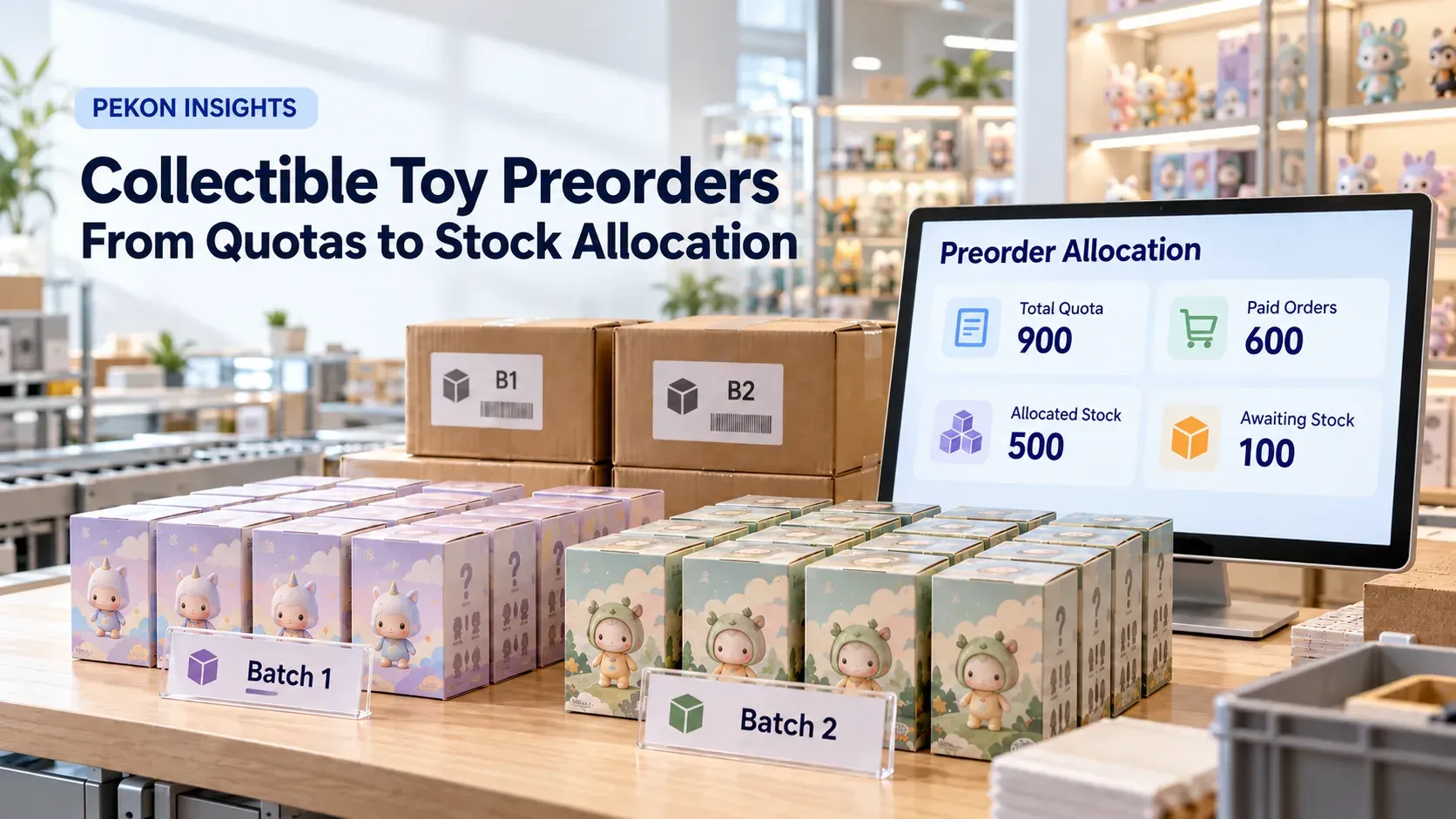
Suppose 1,000 units are expected. The brand reserves 100 for transport shortages, quality issues, samples and after-sales requirements, leaving an initial preorder quota of 900. That figure is a business-approved limit released to sales channels, not a copy of the purchase order quantity.
| Quantity | Meaning | Effect on ordering |
|---|---|---|
| Expected receipts | Future supply in purchasing, production or shipping plans | Not automatically available for preorder |
| Preorder quota | Maximum quantity the campaign may promise | Less valid reservations gives remaining preorder availability |
| Order reservations | Quota already held by preorder transactions | Cannot be allocated to another order |
| Physical stock available for fulfillment | Goods received, quality checked and released for use | Available for order allocation, collection or dispatch |
Purchase quantities can change; shipments may arrive short or fail inspection. Only a quota approved and released for the relevant campaign, channel and batch should contribute to customer-facing availability. Record the expected collection date, who may adjust the quota and which fulfillment locations it covers. The same quota must not be counted independently by several sales channels.
Adjust the quota as supply information changes
Production confirmations, supplier dispatches and transport arrivals provide new information before warehouse receipt. Quotas may be adjusted in response, but each change needs an audit trail: previous quota, adjustment, reason, effective time and approver.
Additional confirmed supply should not appear automatically as customer-facing availability. Operations must first decide whether to retain contingency stock, then release the approved increase to specified campaigns or channels. For a reduction, compare the new quota with existing reservations:
- Quota remains above reservations: reduce the uncommitted balance; existing orders remain unaffected.
- Quota equals reservations: stop accepting new preorders and retain existing commitments.
- Quota falls below reservations: stop new orders immediately and separate paid orders from unpaid reservations still within their payment window to establish the commitment shortfall.
When an item arrives in two batches, split quotas by batch or promised date. A single total can allow a later shipment to appear to cover an earlier commitment even though the customer cannot receive the product on time.
Use consistent reservation, expiry and cancellation rules
At order submission, checking remaining quota, creating the reservation and returning the result should be one atomic operation: either the reservation succeeds as a whole or it does not. Only a successfully reserved order proceeds to payment. An insufficient balance must prevent payment from starting. A network retry for the same order must not create another valid reservation.
Unpaid reservations need an expiry time. Payment confirmation and timeout processing must compete against the same order state and version. If payment wins, the timeout must not close the order. If timeout closure wins, a late payment enters refund or exception handling; it must not reclaim quota that has already been released.
Keep three cancellation outcomes separate. The order system confirms cancellation and produces a unique cancellation event. The authoritative inventory component—whether an inventory service, OMS or retail system—uses the order and reservation IDs to release the hold once, even if the event is repeated. If release fails, queue it for recovery and retain a “reservation release pending” status. The order remains cancelled. A paid order also enters a separate refund process; a refund failure must not recreate the reservation.
These controls are shared by preorders and limited releases of existing stock. The additional preorder requirement is the conversion from a future quota reservation to an allocation of received goods.
Convert reservations into physical allocations
The warehouse management system (WMS) establishes the batch's usable quantity after receiving and quality checks. Do not release all of that stock into general availability, and do not deduct inventory again on top of an existing reservation. Retain the original order and reservation relationship while converting the future commitment into an allocation at a specific warehouse or store.
The conversion should preserve four links: campaign to delivery batch; order to original reservation ID; promised date to available fulfillment date; and order to actual fulfillment location. Collection or dispatch then converts the physical hold into the appropriate sale or goods-out result.
For example, a campaign has paid orders for 600 units but its first batch contains only 500 units released after inspection. Allocate those 500 according to the agreed priority rules and retain the remaining 100 as unallocated preorder commitments awaiting later supply. A single “600 reserved” figure does not tell a store or customer service team how many orders have physical stock or when collection can begin.
Agree the division of responsibility across ERP, WMS, OMS and retail systems: who confirms actual receipts, who allocates orders, who maintains reservations, and where collection or dispatch results are recorded. These responsibilities must remain explicit even when several functions are delivered within one platform.
Manage split deliveries against promised dates
Consider a quota of 900 units planned in two fulfillment batches: 500 promised for an earlier date and 400 for a later date. The first batch yields only 460 usable units. Even if the second batch is now expected to contain 440, bringing the eventual total back to 900, the first batch still has a 40-unit shortfall against its promised date.
Identify affected orders by campaign batch, payment status and promise date, then apply the allocation rules published before the campaign. Later commitments should not take the first batch's stock ahead of earlier ones. Expected recovery in the final total must not hide the 40-unit timing gap.
For delayed orders, store and customer service staff need the original promise date, revised expectation, the customer's acceptance or rejection of the delay, and the outcome. If the customer cancels, retain separate records for cancellation, release and refund. Releasing a reservation for goods not yet received does not create physical stock returned to the warehouse.
Prioritize paid commitments when receipts are short
Return to the 900-unit quota. At receipt, the system has paid orders for 610 units, unpaid reservations for 30 units still within their payment window, and 260 units of unreserved quota:
610 paid + 30 awaiting payment + 260 unreserved = 900 units.
Suppose receiving and inspection confirm only 620 units available for fulfillment. Under the example's rules, protect the 610 valid paid commitments first. Allocate the remaining 10 to eligible unpaid orders and immediately prevent the other 20 from completing payment. Close those payment paths and retain the reason. This adjusts payment eligibility and future commitments; it does not deduct 20 imaginary units from physical stock.
If all 640 units have already been paid for, the issue is now a shortfall against paid commitments. Use the delivery batch, payment sequence or other allocation rule announced before the campaign to identify the 20 units requiring delay or refund handling. Retain the selection basis, customer communication and outcome. Arbitrarily cancelling a group of orders cannot explain why those customers were selected.
Six acceptance tests for the handoff to physical stock
One SKU, a quota of 900 and two simulated deliveries are enough to test the core process:
- Create the 900-unit quota. Confirm that purchasing plans and in-transit quantities do not directly increase customer-facing preorder availability.
- Reduce confirmed supply below reserved demand. Check that new ordering stops and the system separately reports paid orders, unpaid holds and the shortfall.
- Run payment confirmation and timeout closure concurrently. Only one final state should win; late payment must not reclaim released quota.
- Cancel a paid order and simulate release failure. Confirm that cancellation, pending reservation release and refund status remain separately visible.
- Receive the first batch. Verify that preorder holds become physical allocations without a second deduction or release of committed goods into general sellable stock.
- Simulate split deliveries and a receipt shortage. Check that affected orders are identified by promised date and that delay, blocked payment or refund handling leaves a record.
The demonstration should trace quota changes, payment status, delivery batch, allocation and exception handling through the campaign, order and reservation IDs. Showing only that a preorder can be submitted is insufficient; the vendor must also show how received goods are linked back to the original order.
How PEKON supports preorder scenarios
The PEKON Smart Retail System has published capabilities for store reservations and product preorders. A reservation can optionally hold inventory and link collection back to the original order after arrival. Preorder campaigns can define separate ordering and collection windows, with the preorder used to validate collection.
PEKON's collectible toy retail solution also describes launch reservations, preorders for purchase-limited products and inventory visibility across channels. The source of preorder quotas, atomic reservation at submission, payment-versus-timeout handling, conversion to physical allocation, repeat-safe release and exception recovery must still be assessed against the brand's workflow. Confirm each as standard functionality, configuration, integration, custom development or unsupported rather than treating the entire proposed process as a confirmed standard capability.
A useful assessment starts with a real product's expected receipts, batch plan, preorder quota and payment deadline. Those inputs allow the brand and vendor to define system responsibilities and a concrete acceptance demonstration.
FAQ
Can negative inventory represent preorders before goods arrive?
It is better to keep expected receipts, approved preorder quotas and order reservations separate from physical stock. Convert valid commitments to physical allocations after receipt. Negative on-hand inventory does not clearly show what has been promised, what supply is expected, or which batch has a shortfall.
Can the preorder quota equal the purchase order quantity?
Not automatically. Allow for transport shortages, quality failures, samples, after-sales requirements and other reserves, then approve the quantity that can be released as a customer commitment.
Which orders should receive stock from a split delivery first?
Define the allocation rule before the campaign and apply it using batch, payment status, promised date and fulfillment location. Preserve the link between each order and its delivery batch rather than allocating against an undifferentiated total.
How should unpaid orders be handled when receipts are short?
Protect valid paid commitments first, then use the campaign rules to decide which unpaid orders may proceed. Block payment for orders without an available allocation and record the reason. If paid commitments are affected, move to customer communication about delay or refunds.
Must cancellation, reservation release and refund succeed together?
Record them separately. Cancellation creates an event for the authoritative inventory component to release the hold once. Failed release requires recovery. Refunds are processed separately for paid orders; refund failure does not undo cancellation or recreate a reservation.